Double Jump Bike Escape Mobile Controls Guide
Touch movement, jump buttons, and camera habits for +1 Double Jump Bike Escape on iOS and Android.
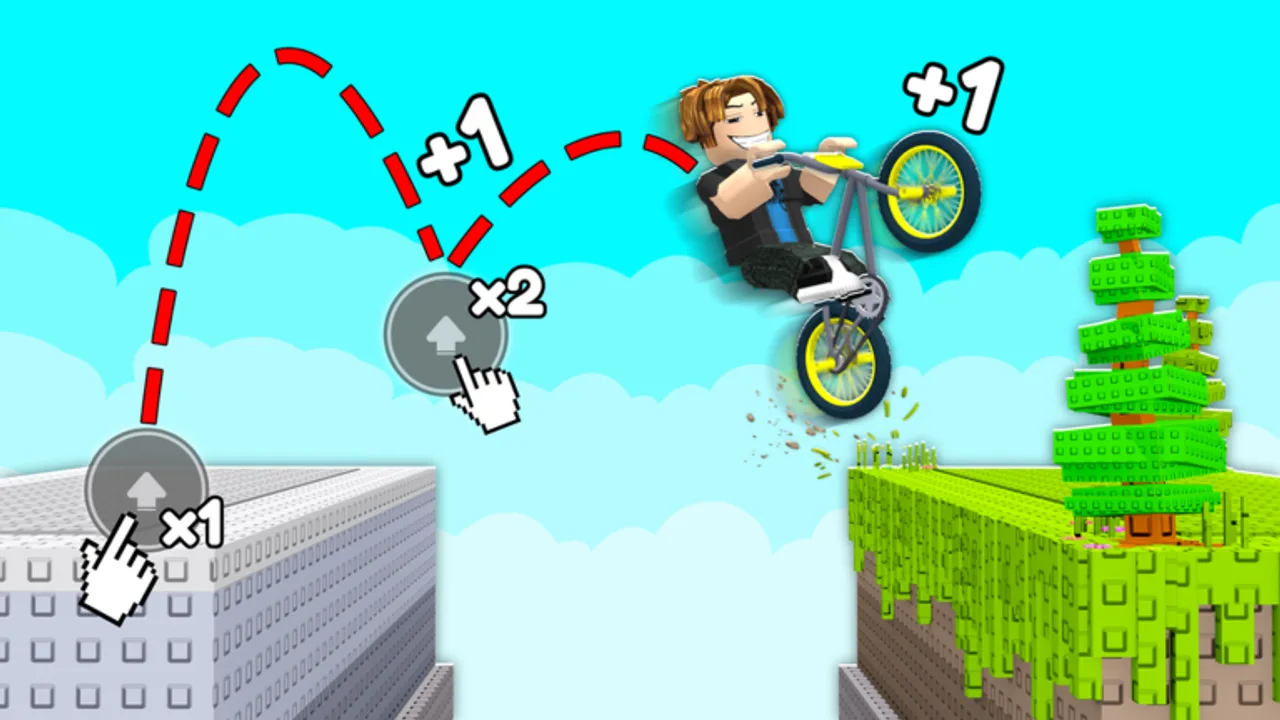
+1 Double Jump Bike Escape on mobile is fully playable — ChillyTea Studios targets phone users alongside PC — but touch input demands tighter jump discipline than keyboard play. Speed still stacks while you move continuously, double jumps clear World 2 gaps, and fail resets send you to spawn on bad landings. This guide covers the mobile control layout, camera fixes, and session habits that pair with Double Jump Tips.
PC players should read PC Controls for mouse-specific advice. Stunt inputs are detailed on Trick Controls.
Mobile control layout
Roblox mobile overlays a virtual joystick (usually left side) and jump button (right side). +1 Double Jump Bike Escape follows the standard bike obby pattern:
| Action | Touch input |
|---|---|
| Move / steer | Virtual joystick (drag thumb) |
| Jump | Jump button tap |
| Double jump | Jump button tap again while airborne |
| Camera | Drag on empty screen area (right half typically) |
| Tricks | On-screen prompts when near ramps — tap quickly (Tricks) |
Exact button size varies by device aspect ratio. Tablets offer more camera drag space; small phones crowd jump and camera zones — adjust grip accordingly.
Movement and speed on touch
Speed gain requires constant forward joystick input. Mobile-specific issues:
- Thumb drift off the joystick edge stops movement silently — speed plateaus without obvious feedback
- One-hand play tempts short movement bursts; bursts slow long-term stacking vs continuous hold
- Screen edge joystick placement can cause accidental release when reaching for jump
Fixes:
- Use two hands: left thumb on joystick, right for jump and camera
- Rest joystick thumb low in the pad dead zone so small slips do not cancel input
- After any collision, re-max joystick forward immediately on safe ground
Compare stable route times to Speed Milestones before blaming your bike tier.
Jump and double jump timing
Mobile jump button has slightly higher perceived latency than PC Space key on some devices. Account for it:
Single jump: Tap jump at the ramp lip, not early on the approach slope. Early jumps lose horizontal speed on mobile because camera lag hides the true lip position.
Double jump: Tap jump again at apex — mobile players often tap too late because they wait for visual confirmation of falling. Practice listening for the first jump sound cue instead of watching altitude alone.
Fatigue factor: Long sessions degrade tap timing. Short focused runs beat three-hour grinds where late double jumps cause spawn resets.
Drill one biome slowly using guidance from Double Jump Tips before win farming for bike unlocks.
Camera control on phone and tablet
Camera drag shares the right side with jump on many phones — the main mobile difficulty.
Pre-align landing during straights: drag camera to show the next platform before you commit speed.
Avoid camera during jump when learning a new section — fixed camera through the gap beats mid-air panics.
Tablet advantage: Larger drag zone reduces accidental jump taps while panning.
Sensitivity: Roblox mobile camera sensitivity is in the client settings. Lower sensitivity if landings feel “slippery” on narrow targets.
If you cannot see the landing, skip tricks entirely until the line is safe. Trick prompts steal attention from jump timing — see Trick Controls.
Device and performance settings
Mobile frame rate directly affects jump feel.
- Enable Automatic Graphics first; if stutter appears during speed lines, step graphics down one level
- Close background apps to reduce input lag on budget Android devices
- Stable internet matters in public servers — lag spikes feel like mistimed jumps
- Play landscape orientation if supported — wider field of view helps gap reads
Overheating phones throttle CPU and drop frames after 20–30 minutes. Pause before technical World 2 sections if the device is hot.
Mobile-friendly progression tips
Mobile players succeed on free bikes without gamepasses, but the path favors conservative progression:
- Master starter routes before buying shop bikes — Progression Phase 0
- Prefer stable handling tiers on the Tier List over raw speed on small screens
- Rebirth at recommended breakpoints so win costs stay manageable with shorter sessions
- Consider Double Wins before premium bikes if you play mobile casually — half the grind per session (Gamepass Bikes)
- Admin Treadmill helps less on mobile unless you actively tab back — PC AFK training is stronger for treadmills
Read Gamepass Review if debating Angel vs Dragon for mobile-only play. Angel helps early; Dragon helps if you play daily on phone.
Common mobile fail reset causes
| Symptom | Likely cause | Fix |
|---|---|---|
| Falling short on gaps | Late double jump | Jump earlier; use audio cue |
| Hitting ramp sides | Camera not pre-aligned | Drag camera on straight approach |
| Random speed loss | Joystick thumb slip | Reset thumb position; two-hand grip |
| Trick deaths | Tapped prompt accidentally | Disable trick attempts until route is clean |
| Lag deaths | Network spike | Retry in smaller server or private session |
Fail resets are mechanic-driven — the game warns that one mistake sends you back. Mobile magnifies small errors; treat each reset as timing data.
Mobile vs PC — should you switch?
Switching to PC improves camera precision for leaderboard pushes. Staying mobile is fine for casual progression if you accept slower biome mastery. Do not switch mid-biome learning — muscle memory differs.
If you have both devices, use mobile for win farming on easy routes and PC for hard World 2 gates — but keep bike tier consistent so handling stays predictable.
20-minute mobile practice block
- 5 min — joystick-only straight, no jumps — feel speed stack
- 10 min — one biome half speed, double jumps only
- 3 min — camera pre-align drill on hardest gap
- 2 min — full speed attempt if prior steps were clean
Repeat until two clean runs, then link to How to Play for win and rebirth goals.
Related pages
- Controls Hub — category overview
- PC Controls — keyboard reference
- Trick Controls — stunt taps
- Double Jump Tips — timing deep dive
Check this page after updates if ChillyTea adjusts mobile UI button placement for World 2.
Frequently Asked Questions
Quick answers to the most common questions.
How do I double jump on mobile?
Tap the jump button once to leave the ground, then tap jump again while airborne. Tap at apex, not when you are already falling past the gap.
Is mobile harder than PC?
Mobile is harder for camera-heavy gaps because touch competes for screen space. Progression is still fully possible with practice.
How do I stop hitting the wrong button?
Use two hands, enlarge effective jump zone by resting thumb near but not on jump until needed, and pre-align camera on straights.
Should mobile players buy gamepass bikes?
Optional. Angel or Dragon can shorten grind for casual phone sessions. They do not replace jump timing practice.
Why does speed feel slower on phone?
Often thumb drift off the joystick or frame drops — not necessarily your bike. Check movement input and graphics settings first.
Can I play World 2 entirely on mobile?
Yes. World 2 demands clean double jumps regardless of platform. Expect more practice time than PC for the same biome.